

A Note from the TILT Team
Welcome to the first issue of the TILT Newsletter. We've been working behind the scenes to build out the resources faculty and staff need to support their teaching—expanding our website, developing the TILT blog, and growing our Panopto library. This newsletter is one more way to make sure you know what's available and how to find it. Our goal isn't to add to your inbox burden but to give you a quick, useful snapshot of what we're working on and what might be relevant to your work. In this issue, we're sharing updates on our preparations for Professional Development Day and highlighting some of the trends we're tracking across instructional design, educational technology, accessibility, and faculty development. If something catches your attention and you want to dig deeper, reach out. That's what we're here for.
Andrew Feldstein, Assistant Provost

Teaching in Focus
Facilitating Online Discussions: Encouraging, not Forcing

In NURS 430: Complex Nursing Care, instructor Kelly Cole encouraged organic discussion rather than requiring specific peer replies. This approach accommodates the demanding schedules of nursing students. Cole integrated the discussion into a Module review assignment, stating:
Individual peer replies are NOT required, but are encouraged throughout the semester. The instructor may post questions or prompts, and students are highly encouraged to respond to those. Keep all responses respectful, thoughtful, and evidence-based.
The Essentials
Upcoming Events & Opportunities

Spring PDD
Spring Professional Development Day, January 14, boasts 2 keynote speakers! Following the keynotes, there will be 53 presenters offering 32 panels, roundtables, sessions, and workshops. Breakfast and lunch are provided, and those who register by December 17 will be entered to win an OLC Workshop OR 1 year of access to OLC's Microlearning Library. Register via Guidebook.

TILT Tech Days
Register for our series of virtual workshops hosted by TILT-supported EdTech vendors. These sessions offer an excellent opportunity to discover new tools, learn advanced techniques, or refresh your skills before your courses begin. Whether you are new to these tools or have significant experience, you will find meaningful and relevant content.
Please note that if you are unable to attend live, registering will ensure that you receive a link to the recording afterward.
Your Updated TILT Resource Network
We’ve refreshed how you connect with TILT. Our updated blog, website, and new video portal work together to make finding support, resources, and inspiration easier than ever.
Tiger Learn (Blog)

tigerlearn.fhsu.edu
TILT wants to introduce you to the new Tiger Learn! In an effort to both modernize and streamline our resources, we have opted to redesign the original Tiger Learn. The new version features updated and easier-to-locate information, an overhauled UI, and so much more. Coming soon - if you notice
NOTE: You may notice references to TigerLearn, our new home for teaching and learning resources at FHSU. While the new site is still being finalized, all links in this newsletter currently direct to bbultra.fhsu.edu, which remains the correct and active site.
The tigerlearn.fhsu.edu URL will replace it soon. We’ll share an update once the new site officially launches. (as of 1/12/26 this links to our old blog, check back in a few days!)
TILT Website (Main Hub)
Our refreshed TILT website serves as your central hub for essential information, services, and ways to connect with our team. It offers consistent, easy access while pointing you to deeper resources like Tiger Learn and the Video Portal.

TILT Video Portal (Panopto Connect)
The new TILT Video Portal brings together tutorials, recorded workshops, webinars, and Professional Development Day sessions in one searchable space.

Faculty Spotlight

Rachel Dolechek, Associate Professor of Business Communication
Rachel Dolechek was our top contributor during Fix Your Content Day, leading the way in improving course accessibility for both faculty and students. As the coordinator of a shared course shell for her faculty team, Rachel was motivated by the upcoming term timeline and wanted to ensure accessibility issues were addressed before the course was copied and reused. “I wanted to fix any accessibility issues before faculty copied the course for the upcoming term,” she shared, taking a proactive approach that builds accessibility into the course from the start.
Rachel began by addressing easy-fix accessibility issues, such as adding descriptive text to images and marking decorative visuals appropriately. While these changes may seem small, they make a meaningful difference for students using screen readers or integrated webReader tools. The process has also influenced how Rachel approaches course design moving forward. “When preparing for a new semester, any documents created should be checked for accessibility before they are uploaded to Ultra,” she noted. Her advice to other instructors is timely and clear: dedicate time to accessibility early, become familiar with federal guidelines, and start now. April 2026 is approaching quickly.
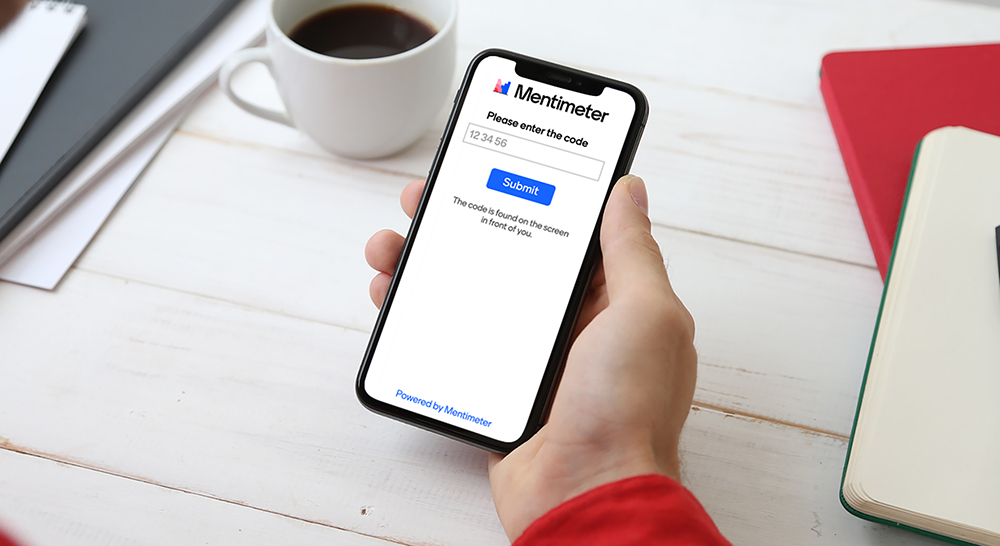
Take this month’s poll:
In Case You Missed It…
Upcoming Accessibility Requirements (April 2026)
New accessibility requirements are coming in April 2026. Get started with a quick overview using our Scribe resource, explore short how-to videos, and review the WCAG Overview to understand the standards behind the changes.Events Beginning January 26
Gather and Grade events begin (Zoom)
Writing Accountability Groups begin (on campus and Zoom)
What’s New in Ultra (Podcast) — TILT’Ed Edition
Stay informed about Blackboard Ultra’s latest features and improvements with What’s New in Ultra: TILT’Ed, a monthly podcast hosted by TILT’s Dani Reilley and Thomas Horne. Each episode breaks down updates in clear, practical terms, with a focus on what matters most for our Ultra instance at FHSU.
Listen now: bbultra.fhsu.edu/whats-new-in-ultra-tilted-edition
Subscribe to stay ahead of the curve!
Until next time,

Supporting Faculty. Inspiring Innovation.